Title: Interactive Visual Discovery in Event Analytics: Electronic Health Records and Other Applications
Abstract:
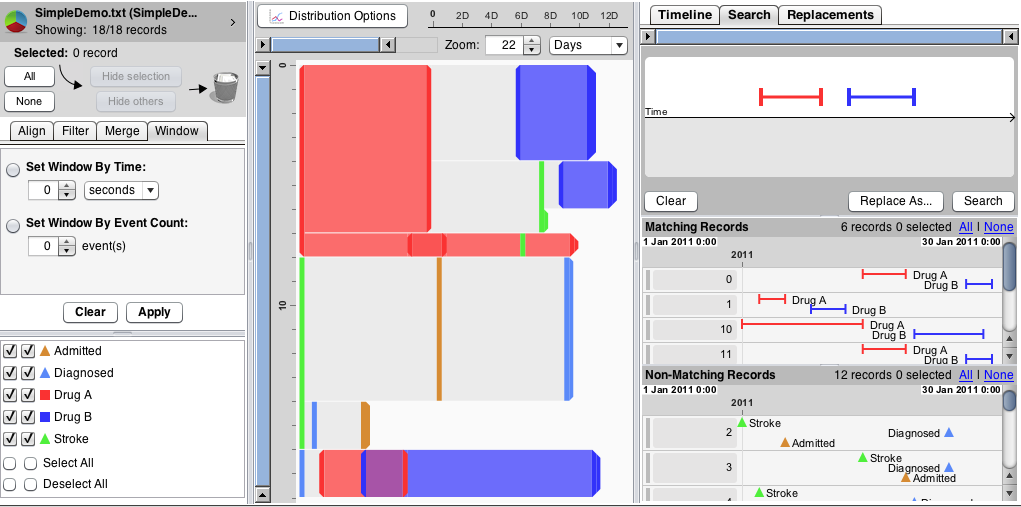 Event Analytics is rapidly emerging as a new topic to extract insights from the growing set of temporal event sequences that come from medical histories, e-commerce patterns, social media log analysis, cybersecurity threats, sensor nets, online education, sports, etc. This talk reviews our decade of research on visualizing and exploring temporal event sequences to view compact summaries of thousands of patient histories represented as time-stamped events, such as strokes, vaccinations, or admission to an emergency room. Our current work on EventFlow (www.cs.umd.edu/hcil/eventflow) supports point events, such as heart attacks or vaccinations and interval events such as medication episodes or long hospitalizations. Demonstrations cover visual interfaces to support hospital quality control analysts who ensure that required procedures were carried out and clinical researchers who study treatment patterns that lead to successful outcomes. I show how domain-specific knowledge and problem-specific insights can lead to sharpening the analytic focus so as to enable more successful pattern and anomaly detection.
Bio:
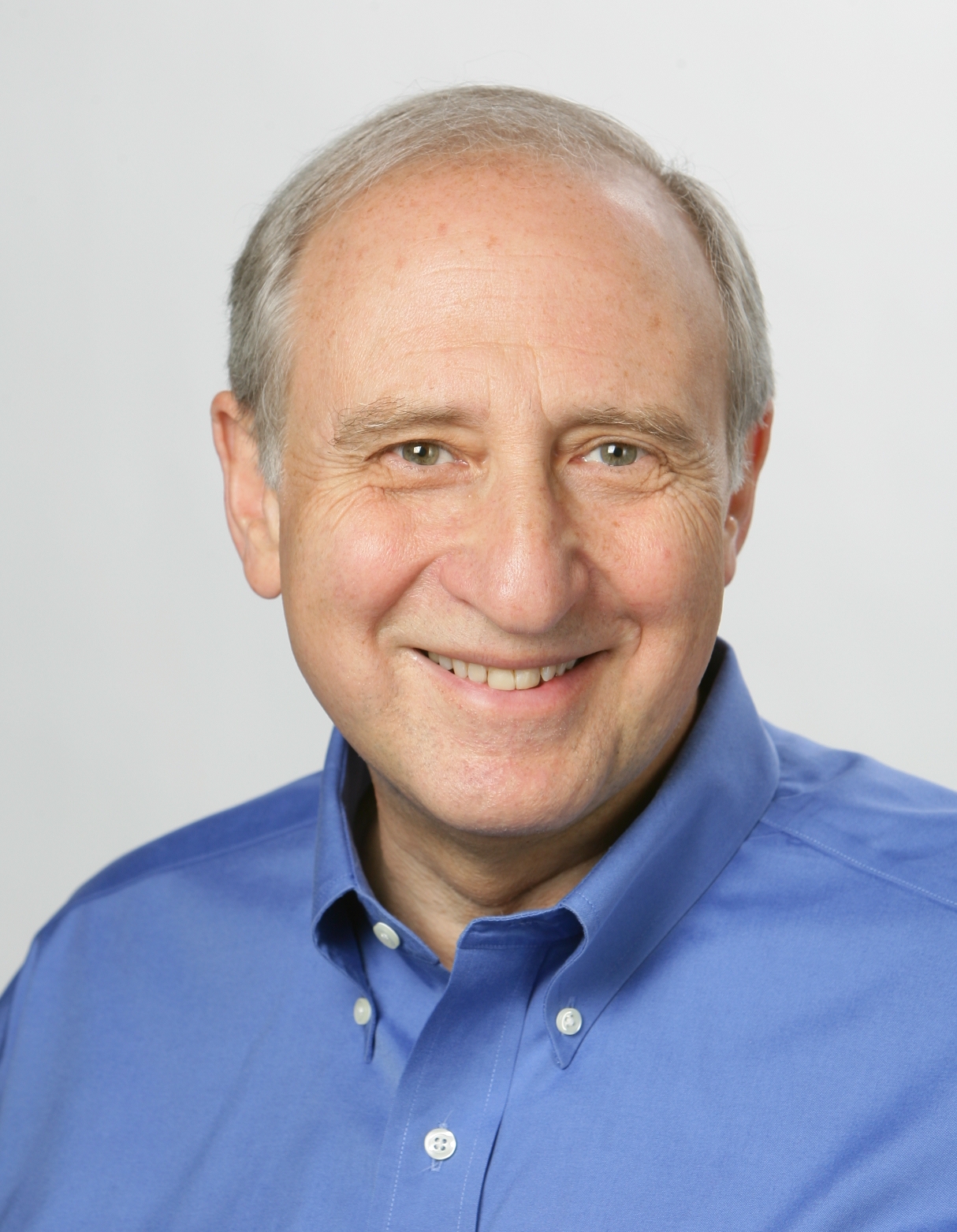 BEN SHNEIDERMAN (http://www.cs.umd.edu/~ben) is a Distinguished University Professor in the Department of Computer Science and Founding Director (1983-2000) of the Human-Computer Interaction Laboratory (http://www.cs.umd.edu/hcil/) at the University of Maryland. He is a Fellow of the AAAS, ACM, and IEEE, and a Member of the National Academy of Engineering, in recognition of his pioneering contributions to human-computer interaction and information visualization. His contributions include the direct manipulation concept, clickable web-link, touchscreen keyboards, dynamic query sliders for Spotfire, development of treemaps, innovative network visualization strategies for NodeXL, and temporal event sequence analysis for electronic health records.
Ben is the co-author with Catherine Plaisant of Designing the User Interface: Strategies for Effective Human-Computer Interaction (5th ed., 2010) http://www.awl.com/DTUI/. With Stu Card and Jock Mackinlay, he co-authored Readings in Information Visualization: Using Vision to Think (1999). His book Leonardo’s Laptop appeared in October 2002 (MIT Press) and won the IEEE book award for Distinguished Literary Contribution. His latest book, with Derek Hansen and Marc Smith, is Analyzing Social Media Networks with NodeXL (www.codeplex.com/nodexl, 2010).
Driving Instructions: IBM Client Center - 1 Rogers Street Cambridge, MA
From Boston Logan International Airport:
If you are arriving at the airport, you may travel either by car, taxi or limousine to the center. We are located approximately 15 minutes from Boston Logan International Airport (BOS).
Head North then Slight right. Keep right at the fork to continue toward MA 1A S
Keep right at the fork, follow signs for MA 1A S/Interstate 93 N/Sumner Tunnel and merge onto MA1A S.
Turn left to stay on Massachusetts 1A S
Keep right at the fork, follow signs for MA 3 N/Storrow Drive
Keep right at the fork. Keep left at the fork, follow signs for MA-28 N/Leverett Cir/N Station. Slight right toward Nashua St
Turn left onto Nashua St
Take the 1st right onto MA-28 N/Monsignor O'Brien Highway
Turn left onto Edwin H Land Blvd
Turn right onto Rogers St
From the North:
Take I-93 S to Boston
Take exit 26 for Massachusetts 3 N toward Massachusetts 28/Storrow Drive/North Station
Keep right at the fork, follow signs for Route 28 N/Leverett Cir/North Station N -
Keep left at the fork. Keep left at the fork, follow signs for MA 28 N/O'Brien Hwy
Continue straight. Turn left onto Nashua St
Take the 1st right onto MA-28 N/Monsignor O'Brien Highway
Turn left onto Edwin H Land Blvd Turn right onto Rogers St
From the South:
Go I-93 N / US-1 N / RT-3 N toward Boston
Take exit 26 toward Storrow Drive
Keep left at the fork, follow signs for MA-28N/Leverett Cir/N Station
Slight right toward Nashua St
Turn left onto Nashua St
Take the 1st right onto MA-28 N/Monsignor O’Brien Highway.
Turn left onto Edwin H Land Blvd
Turn right onto Rogers St
From New York and West:
Take the Interstate 90 E/Interstate 90 W (Tolls) ramp to Masspike/Springfield/Boston
Keep right at the fork, follow signs for I-90 E/I-95/Boston and merge onto I-90 E
Take exit 18 on the left toward Cambridge
Continue straight
Turn right onto Cambridge St
Turn right onto Memorial Dr
Continue onto Edwin H Land Blvd
Turn left onto Binney St
Take the 1st right onto 1st St
Parking at the Center:
The IBM Client Center is located at 1 Rogers Street Cambridge, MA. The building is U shaped positioned between Edwin H. Land Blvd and 1st Street. The sign on the front of the building states "Charles Park.”
There is no on-site parking at the Center. You can park across the street at the Cambridgeside Galleria Mall located at 100 Cambridgeside Place Cambridge, MA 02141 (view map below). If you park at the Galleria Mall for 5+ hours, we can validate your parking ticket for a discounted rate at the front desk of the Client Center.
Below is a map that shows where the mall is in relation to the center. Once guests park their cars, they will take the elevator/escalator to the first floor of the mall. They will walk towards the end of the mall where the Cheesecake Factory and California Pizza Kitchen are located. The center is in the building directly across the street. Guests will have to walk along the side of the building, until they reach Rogers Street. From there, they will turn right and the front doors are located directly ahead.

You can come to the main entrance and just beeline for the elevator bank. Don't worry about the security desk to the side. Come up the second floor and we'll have someone waiting there for you at the glass doors. If for some reason there is not, please call me at (617) 693-8548 and just let it ring a long time -- I should be able to get it in my office or on my cell.

